Safety Tips When Registering TNT SIM


 March 12, 2026 12:09 am
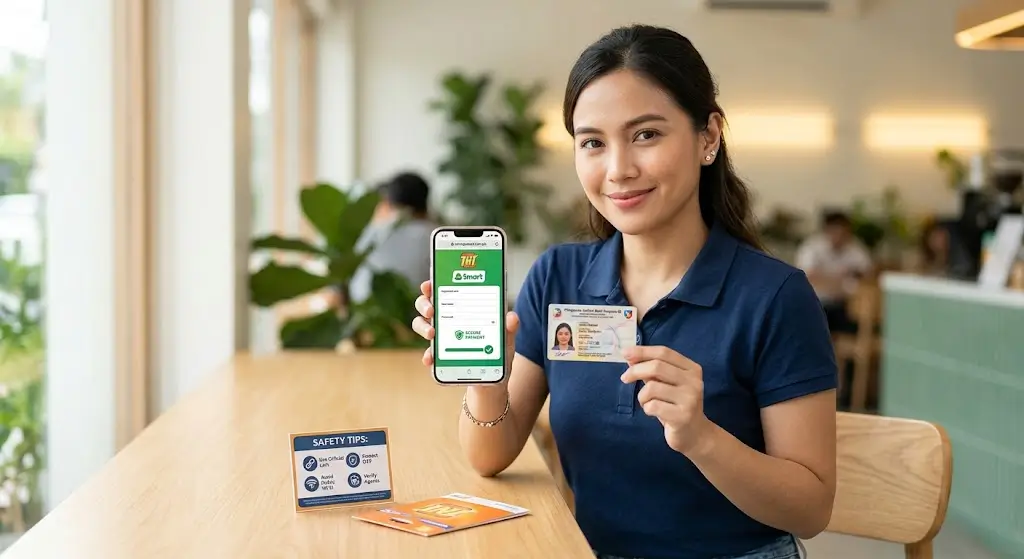
Registering a TNT SIM sounds simple – but one small mistake can put your personal data at serious risk. With cybercriminals actively targeting the registration process, knowing how to stay safe matters more than most people realize.
This guide walks you through the essential safety tips, so your TNT SIM registration goes smoothly, securely, and without any unwanted surprises.
Why Safety Matters During TNT SIM Registration
Most people treat SIM registration like a routine task – but the moment you submit your full name, date of birth, address, and Government ID, that information becomes a target. Cybercriminals build fake registration links, clone phishing websites, and send scam messages designed to look exactly like official telecom services.
One wrong click can lead to:
- Identity theft tied to your name
- Your SIM used for illegal activities
- Fraud surfacing weeks or months later
- Loss of control over your own mobile number
Following the right safety practices is the only legitimate way to make sure your registration stays protected.
Always Use the Official Registration Website
Never click links sent through SMS, Facebook messages, or unknown websites. Scammers create fake pages that look identical to the official TNT and Smart registration portal – same logo, same layout, same colors.
Always type the official address directly into your browser:
- Official website:
simreg.smart.com.ph - Mobile option: Use the GigaLife App (Smart/TNT’s official app)
Avoid:
- Random links from unknown websites
- Links forwarded through SMS or social media
- Any third-party registration service
Prepare a Valid Government ID
Have your valid government-issued ID ready before you start. Rushing to find one leads to mistakes.
Accepted ID Types:
| ID Type | Description |
|---|---|
| National ID | Philippine Identification System (PhilSys ID) |
| Passport | Valid international passport |
| Driver’s License | Government-issued driving license |
| SSS / GSIS ID | Social security identification |
| UMID | Unified Multi-Purpose ID |
Make sure your ID photo is clear, fully readable, and not expired before uploading.
Avoid Using Public Wi-Fi Networks
Public Wi-Fi at malls, cafes, or airports is not secure. Hackers on the same network can intercept your personal data, uploaded ID photo, and selfie verification mid-transfer.
Safer options:
- Use your personal mobile data
- Use a trusted private Wi-Fi connection at home
Never enter personal details or upload documents over a public network.
Never Share Your One-Time Password
Your OTP is strictly confidential. Once someone else has it, they can complete your registration or take over your number.
| OTP Rule | Why It Matters |
|---|---|
| Never share OTP with anyone | Prevents unauthorized registration |
| Don’t post OTP screenshots online | Avoids identity theft |
| Ignore anyone asking for your OTP | Official companies never request it |
Important: TNT and Smart will never call you asking for your OTP or full ID details. If someone does — block and report them immediately to the official helpline.
Double-Check Your Personal Information
Incorrect information can block your account, reject your registration, or even cause legal complications.
Before submitting, verify:
- Full name
- Date of birth
- Address
- ID number
Everything must match exactly what appears on your valid ID card. Taking a few extra seconds here saves a lot of trouble later.
Protect Your Uploaded Documents
Your ID photo and selfie verification are identity assets – handle them carefully.
Do this:
- Upload only through the official TNT portal
- Use live capture when the system supports it
- Add a light digital watermark like “For TNT SIM Reg Only” to your ID photo
- Keep your selfie background clean – avoid showing your home address or family photos
Never do this:
- Send documents through messaging apps, email, or social media
- Upload on any unofficial platform
Beware of Fake Assistance Services
Some people online offer to register your SIM card for you. This is extremely risky.
| Risk | What Can Happen |
|---|---|
| Identity theft | Your personal information gets copied |
| SIM misuse | Your number gets used for illegal activities |
| Account control loss | Someone else controls your registered SIM |
For legitimate help, only visit:
- Authorized booths inside Smart Stores
- Accredited agent assistance counters in malls
Reminder: SIM Registration is completely FREE. Anyone asking for payment is running a scam – block and report immediately.
Beware of Phishing Calls and Texts
After registration, watch out for calls or texts claiming your registration failed and asking you to resubmit your details.
Red flags to watch for:
- Caller claims your registration failed
- Someone asks for your OTP over the phone
- A message requests your full ID details
- Any request that creates urgency around resubmitting personal data
TNT and Smart will never ask for sensitive information over a call or text. Block suspicious numbers and report them through the official helpline.
Secure Your Mobile Device
Before starting registration, make sure your phone’s software is up to date. Outdated operating systems contain security gaps that malware can exploit to copy your data during the process.
Quick device checklist:
- Update your phone’s operating system
- Avoid registering on a shared or borrowed device
- Make sure no suspicious apps are running in the background
Save Your Registration Confirmation
Once registration is complete, don’t close the page right away.
Save the following:
- Screenshot of the confirmation page
- SMS confirmation message
- Reference number for future verification
This acts as your proof that your SIM is successfully registered and will make any future account recovery or dispute much easier to resolve.
Quick Safety Checklist for TNT SIM Registration
| Safety Step | Recommended Action | Risk Level |
|---|---|---|
| Website URL | Must start with https:// and be the official domain | High |
| Network Connection | Avoid public Wi-Fi, use personal mobile data | High |
| Valid Government ID | Clear, readable, not expired | High |
| OTP Protection | Never share verification codes with anyone | Critical |
| Personal Information | Double-check all details match your ID | Medium |
| Document Upload | Official portal only | High |
| Payment | SIM Registration is FREE – never pay anyone | High |
| Confirmation | Save screenshot, SMS, and reference number | Medium |
FAQs
Conclusion
TNT SIM registration is a straightforward process – but only when done the right way. Using the official portal, protecting your OTP, keeping your documents secure, and staying alert to phishing calls and fake assistance services are the steps that make the real difference. Personal information shared carelessly can cause problems that take months to fix. Take a few extra minutes, follow these safety tips, and your registration will be both smooth and genuinely secure.