How to Unlock Blocked TNT SIM


 March 14, 2026 11:07 pm
Losing access to your TNT SIM out of nowhere is one of those problems that feels bigger than it actually is. One moment everything is fine, and the next your phone is showing a blocked screen with no calls, no messages, and no data.
The good news is that most blocked TNT SIMs can be fixed – sometimes in just a few minutes. This guide walks you through every working method, from using your PUK code to visiting a store, so you can get back online without the guesswork.
What Does a Blocked TNT SIM Mean?
A blocked TNT SIM means the network has restricted your SIM card from accessing mobile services. This is not a phone problem – it is a network-level restriction that only gets resolved by addressing the block directly.
Common signs your TNT SIM is blocked:
- Screen shows SIM Blocked or PUK Required
- No signal or network connection on your phone
- Cannot make calls or send SMS
- Mobile data has completely stopped working
- READ ALSO:TNT SIM Registration
Common Reasons Why TNT SIM Gets Blocked
Before jumping into fixes, it helps to know why your SIM was blocked in the first place. The reason determines which recovery method will actually work for you.
| Reason | What Happened |
|---|---|
| Wrong PIN Attempts | Entering the wrong SIM PIN three times triggers an automatic PUK lock |
| SIM Not Registered | Unregistered SIMs are deactivated under the SIM Card Registration Act |
| Inactivity / Expiry | No load or usage for 90–120 days causes the SIM to expire |
| Network Violation | Suspicious activity or spamming leads to a temporary or permanent ban |
| Lost or Stolen Report | A SIM reported lost or stolen gets blocked immediately by the provider |
Unlock TNT SIM Using PUK Code
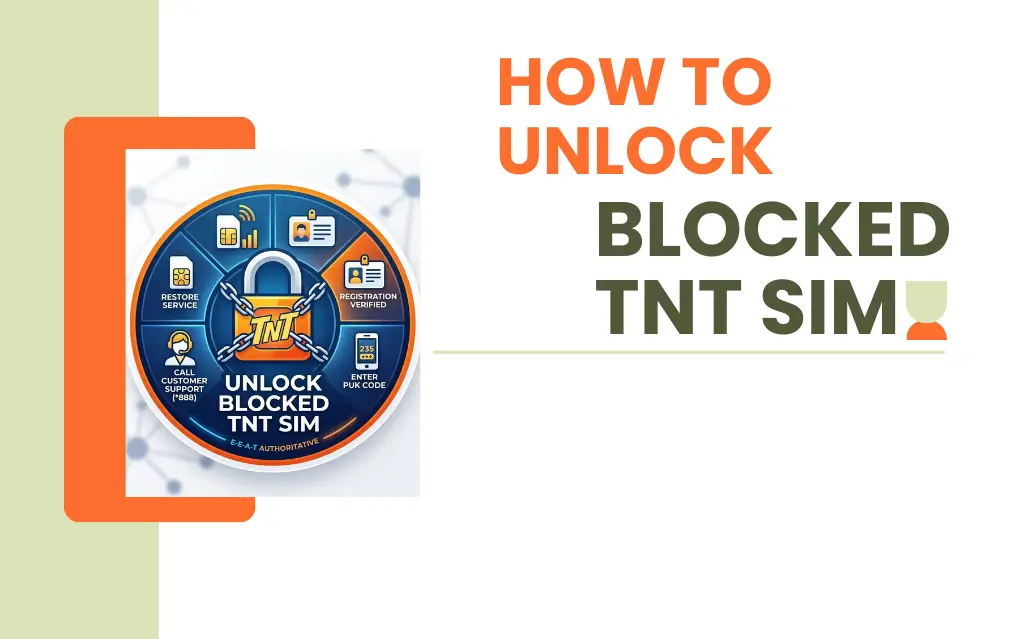
The PUK code – Personal Unblocking Key – is the fastest way to unlock a blocked SIM. But there is one critical rule: never guess the code. You only get 10 attempts total. After that, the SIM is permanently disabled and no one can recover it.
Where to find your 8-digit PUK code:
- Check the back of your SIM card holder – the plastic card your SIM originally came in
- Log into your GigaLife account on the Smart/TNT website to find PUK details linked to your profile
Steps to unlock your SIM:
- Insert your TNT SIM into your phone
- Wait for the PUK request screen to appear
- Enter your 8-digit PUK code carefully
- Set a new SIM PIN when prompted
- Confirm the new PIN to complete the process
Your SIM unlocks immediately once the correct PUK code is entered.
Unlock TNT SIM via Customer Support
If you cannot find your PUK code, TNT customer support can verify your identity and help restore your SIM directly.
| Channel | Contact Method | What to Prepare |
|---|---|---|
| Hotline | Dial *888 (Toll-Free) | Your blocked mobile number |
| Social Media | Message @SmartCommunications on Facebook | Full name and valid ID |
| Physical Store | Visit any Smart Store | Original SIM and government ID |
A support representative will confirm your identity and either share your PUK code or process a full SIM reactivation on their end.
Unlock Through the Smart / GigaLife App
The GigaLife App is a practical option when your SIM is temporarily restricted rather than completely blocked. It is free, official, and lets you manage your account without calling anyone.
Steps:
- Download the GigaLife App on your phone
- Log in with your TNT mobile number
- Go to SIM Services or Account Settings
- Look for SIM recovery or support options
- Check your account status and active promos in real-time
This works best for account-level restrictions and minor issues that do not require in-person verification.
Visit a TNT or Smart Store
When nothing else works, visiting an official Smart or TNT store is your most reliable option. Store staff can do things remotely that no app or hotline can.
What to bring with you:
- Valid government ID
- Your TNT SIM card
- SIM holder or original packaging (if you still have it)
Staff will verify ownership of the number and either unblock the SIM directly or issue a replacement SIM that keeps your original number, contacts, and linked accounts intact.
Re-Registration for Deactivated SIMs
If your SIM was blocked because of a registration problem, you need to re-verify your identity through the official portal. This is different from a PUK unlock – it is about proving the SIM belongs to you.
Steps:
- Go to the TNT SIM Registration website
- Enter your mobile number to receive an OTP
- Fill in your details – name, birthday, and address – exactly as they appear on your ID
- Upload a clear photo of your government ID and a selfie
- Submit and wait for the confirmation SMS
Once the confirmation comes through, your SIM will be reactivated and fully restored.
Useful Tips for Keeping Your SIM Active
A few simple habits go a long way in preventing your SIM from getting blocked again.
| Tip | Why It Matters |
|---|---|
| Load regularly | Prevents expiry from the 90–120 day inactivity window |
| Save your PUK 1 and PUK 2 | Both are security layers – losing them makes recovery much harder |
| Upgrade to LTE or 5G | Better signal and fewer network provisioning errors |
| Use the GigaLife App | Monitor SIM status, promos, and account health anytime |
| Complete SIM registration | Avoids deactivation under the SIM Card Registration Act |
Safety Reminder
Never share your PUK code or OTP with anyone claiming to be a TNT agent over the phone or online. Official SIM unblocking is only done through the *888 hotline, the GigaLife App, or a verified Smart Store. If someone you did not contact first is asking for these details, do not give them anything.
FAQS
Q1: What is a PUK code and where can I find it?
A PUK code – Personal Unblocking Key – is an 8-digit code used to unlock a SIM that has been PIN-locked. It is printed on the back of the plastic card holder your SIM originally came in. You can also find it by logging into your GigaLife account on the Smart/TNT website if your details are linked to a profile
Q2: How many wrong PUK attempts am I allowed?
You are allowed exactly 10 attempts. If you enter the wrong PUK code 10 times, the SIM is permanently disabled. No store visit, no support call, and no app can undo that – so always confirm the code before entering it.
Q3: Can I unlock my TNT SIM from home without visiting a store?
Yes. You can use the PUK code from your SIM holder, call *888, message @SmartCommunications on Facebook, or use the GigaLife App. Most blocks can be resolved remotely without any store visit.
Q4: What happens when a TNT SIM expires from inactivity?
After 90 to 120 days with no load or usage, the SIM gets deactivated by the provider. You can still request reactivation by contacting TNT customer support or visiting a Smart Store, but this window does not stay open indefinitely – act as soon as possible.
Q5: Is SIM registration really required for TNT users?
Yes, it is mandatory under the SIM Card Registration Act. Any SIM that is not properly registered will be deactivated by the provider. If your SIM was blocked because of a failed or incomplete registration, you need to re-register through the official TNT SIM Registration website with your government ID and verified personal details.
Q6: How do I tell the difference between a blocked SIM and a signal problem?
A blocked SIM will show a specific on-screen message like SIM Blocked or Enter PUK. A signal issue will not trigger those messages – your phone will simply show no bars or display No Service without any SIM-specific alert.
Q7: Will I keep my number if my SIM gets replaced at a Smart Store?
Yes. Store staff can issue a replacement SIM that is linked to your original number. Your contacts, registered accounts, and OTP-linked services stay connected to the same number – nothing gets lost in the process.
Conclusion
A blocked TNT SIM is almost always fixable – the key is knowing which method matches your situation. Wrong PIN attempts call for the PUK code. Registration issues need re-verification through the official portal. An expired SIM from inactivity requires a call to support or a store visit. Work through the methods in this guide in order, act quickly, and you will have your number back without losing anything tied to it. Keep your PUK code saved, load your SIM regularly, and finish your registration – and this is a problem you will most likely never deal with again.
Azlan Tareen
Azlan Tareen is a TNT SIM registration specialist with over 4 years of experience in the Philippine telecom sector. He focuses on TNT SIM activation, Smart services, APN settings, PUK codes, and mobile loading through GCash. Azlan shares practical guides to help users manage TNT services easily. Connect with him on LinkedIn or explore his telecom insights online.